It’s generally a good idea to have your mod’s assets look as faithful to the original as possible. Thankfully OneShot has a fairly simple style for the most part, with the exception of pictures (aka CGs).
But don’t let this dissuade you if you’re unable to replicate the style. It’s better to have something than nothing, and assets can be polished later. You should at the very least strive for consistency.
Sizes and Scale
There are a few sizes you should keep in mind:
- Game screen is 640x480 pixels
- Tiles are 32x32 pixels
- Faces are 96x96 pixels
However, almost all of OneShot’s assets are on 2x2 pixel scale.
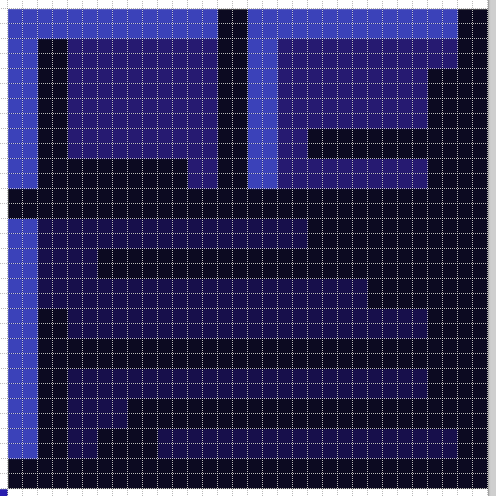
This means that a tile technically uses 32x32 pixels, but it only gets to utilize 16x16 pixels.
Like this box from the Barrens tileset:
This extends to character sprites, even though they’re not limited by size:
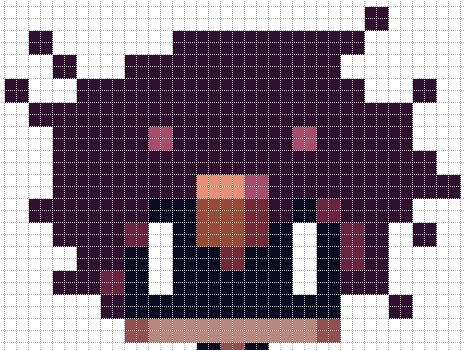
You may be tempted to use those extra pixels for additional details, but it’s best you don’t as it will stick out from vanilla assets. Fun fact: Pixels of different scales composing the same piece are called “mixels”, and is generally frowned upon!
So to make your life easier and avoid accidental mixels, you can draw on a 1x1 pixel scale, then upscale to 2x2 when adding the asset to the game.
CGs are an exception.
They can be drawn at a 1x1 pixel scale, then scaled up in game to cover the entire screen. OneShot does this for most CGs, with the most notable exception being the more detailed dream sequence CGs which are 640x480 at a 1x1 pixel scale.