Most of this layer is dealing with the editor, but there are still a few non-standard things to keep in mind listed under this topic.
Some of those things require minor script modifications, which can still be done through the editor, but require a bit of setup to do. Read the Script Layer basics for those.
Requirements
- The RPG Maker XP editor, or a compatible alternative
Setup
Since the editor content isn’t packed, it’s very easy to just start working with as it’s essentially the project itself.
Simply drag an .rxproj file into the game’s directory, and you can open the project from it.
You can make an .rxproj file by creating a new RPG Maker XP project from the editor, and just copying the Game.rxproj file from it.
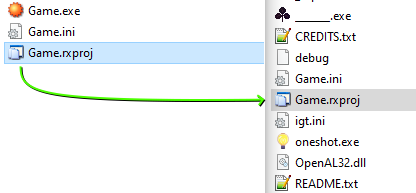
If you’re working with the Steam version, it’s very important that you copy the entire game folder elsewhere and work on your mod there, as Steam might detect your modifications and return the to a vanilla state.
It’s a good idea even if you’re using the itch.io version, as you will have a vanilla project to compare changes to.
In addition, it’s almost mandatory you change the transparent background color of the editor to something you can better see events on.
I’ll simply leave you with this comparison to make my point:
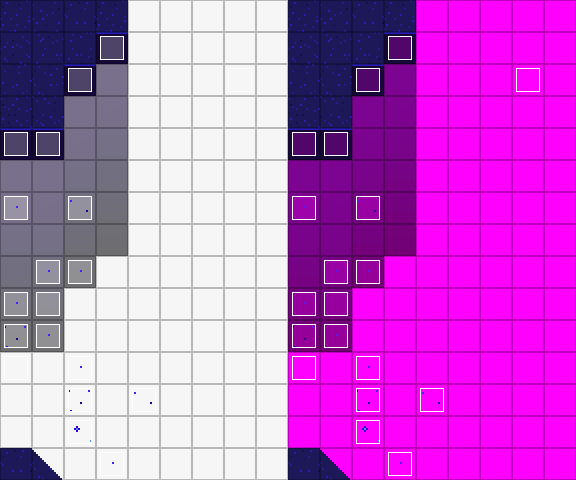
Go to Tools > Options, and change it there.
Notes
Although not necessary, you might want to keep these in mind as well: