Some things are easy to search for, like a sprite name or music file. Simply open a text editor that allows searching through files in a folder, and search for its name.
This article uses Notepad++ for demonstration. I suggest using using it if you’re new to this kind of thing.
Example
So let’s say you want to find all instances where the geothermal track is used.
Open the search dialogue, and set it up like so:
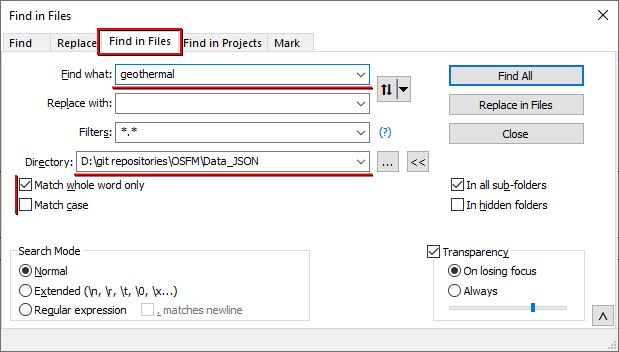 This configures the search to scan all files in the specified directory for the text
 geothermal, matching only if the entire word matches (e.g. wouldn’t match ggeothermal for example).
The result of which might look something like this:
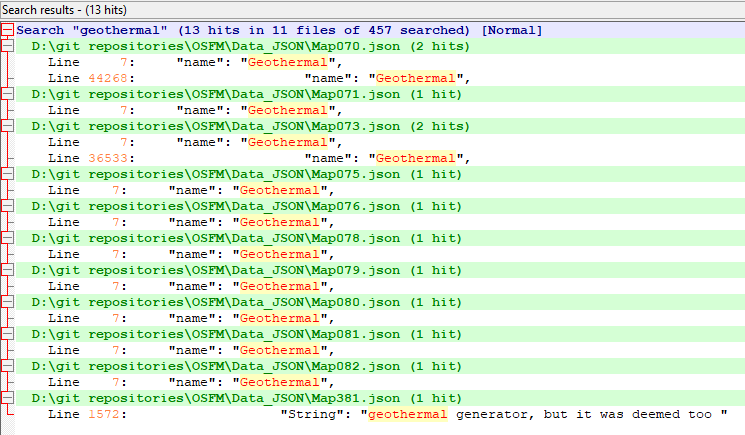 Now this shows where the word
 geothermal comes up, not specifically where the track named geothermal is used.
In this example, we can tell from the final result in the list that the word comes up in some dialogue.
So lets go and find where that dialogue is.
The green highlighted line tells us which file the text was found in, and the file’s name tells us the ID of the related map, which is 381 in this case.
We don’t remember which map has this ID or where it is, so lets go looking for it.
As the name suggests. MapInfos.json contains information about maps.
Through it, we can find our map with this search configuration:
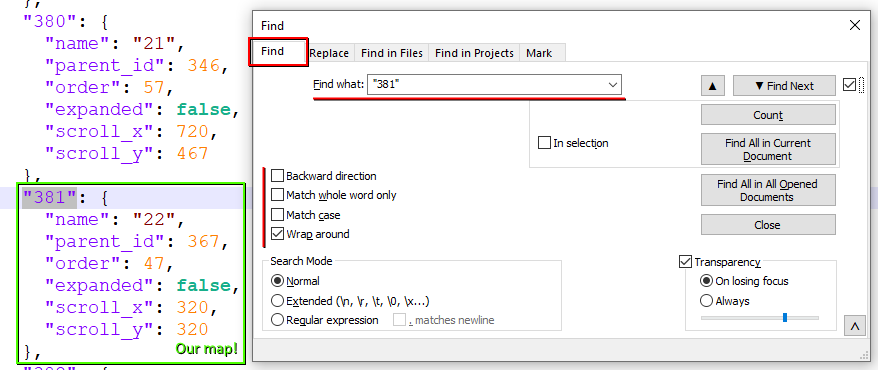 From this we can tell two important things:
- Our map is named
22(not to be confused with ID) - Our map’s parent map ID us
367
So we repeat the process, searching for the parent map’s ID instead until we reach a map we recognize by name:
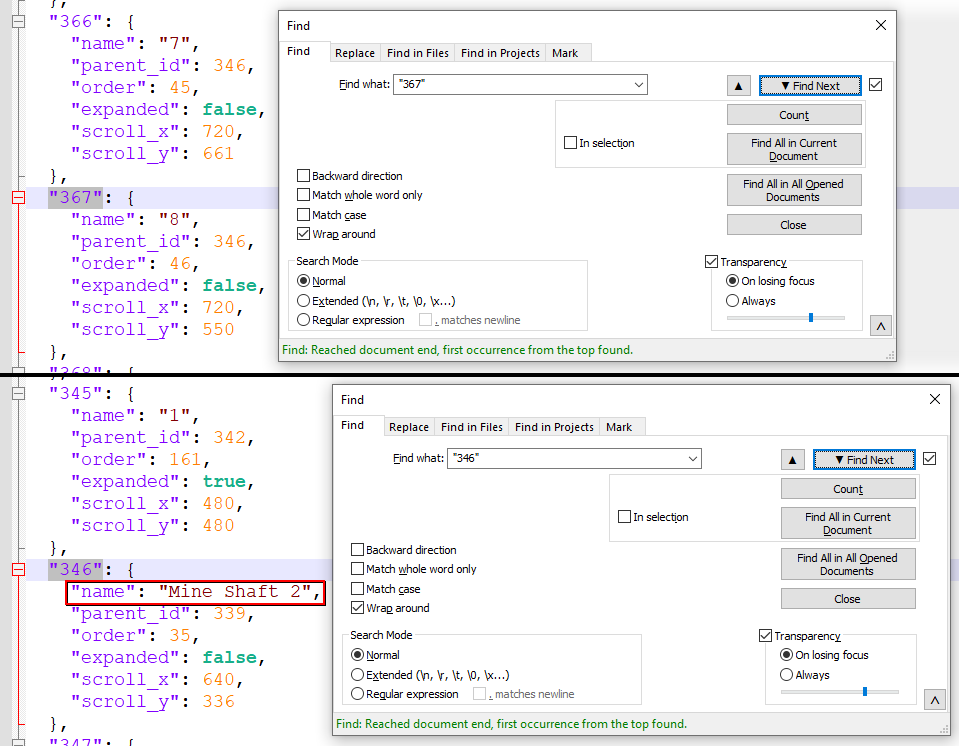
And there it is, our map:
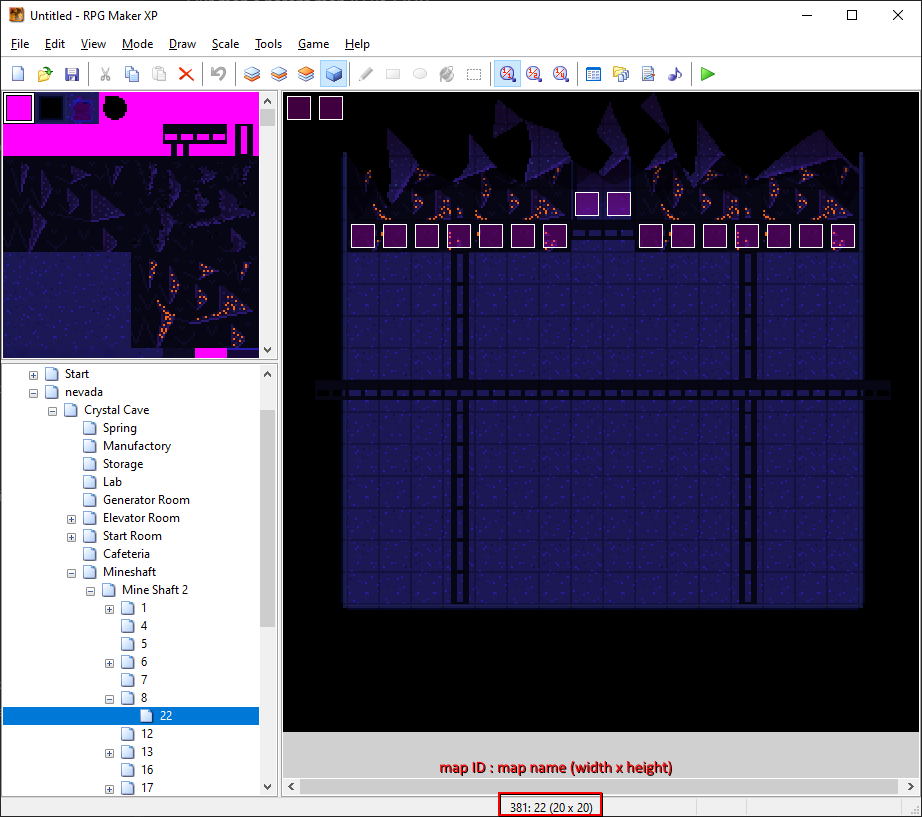 And we can tell it’s the correct map, because the ID in the bottom corner of the editor matches to that of the ID in the file name we first found.
That is important to keep in mind because map names can repeat, but map IDs are unique.
And we can tell it’s the correct map, because the ID in the bottom corner of the editor matches to that of the ID in the file name we first found.
That is important to keep in mind because map names can repeat, but map IDs are unique.
So now that we found the map, we want to find the event that has that geothermal text.
It’d be easy to manually look through all the events this map as there aren’t many, but that’s not always going to be the case, so we’ll use the JSON to find the coordinates of the event we’re looking for.
Looking back at the initial search for geothermal:
It tells us that the match was on line 1572 of the file, so we go there by double clicking the line with the text result, bringing us here:
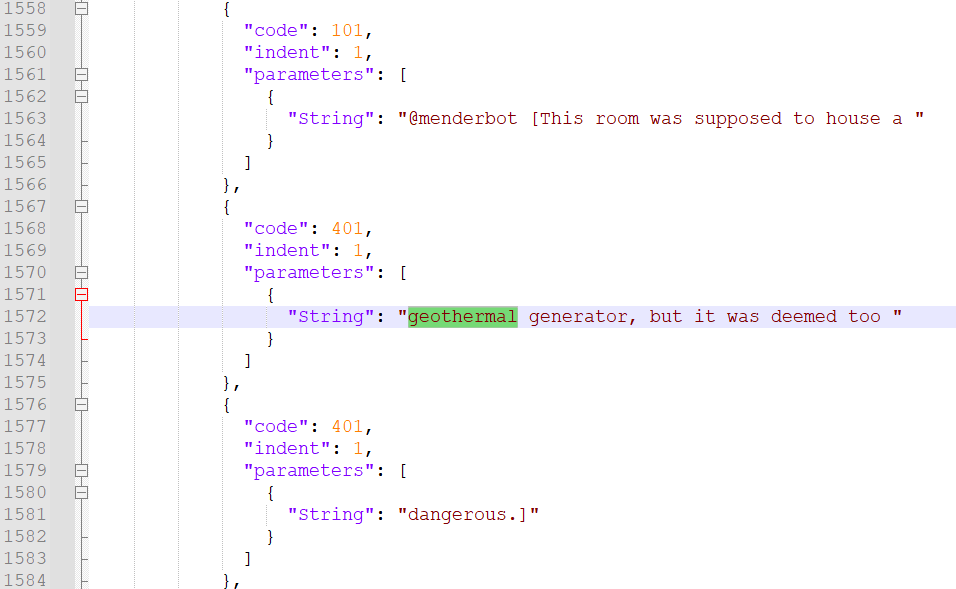 Context clues tell us it’s used in a text command, as the text around it looks like dialogue.
The
Context clues tell us it’s used in a text command, as the text around it looks like dialogue.
The code field 401 explicitly tells us it’s a line in a multi-line text command, and the previous block having the code 101 tells us it’s a text command.
So where is it located?
Scrolling up you’ll eventually run into this:
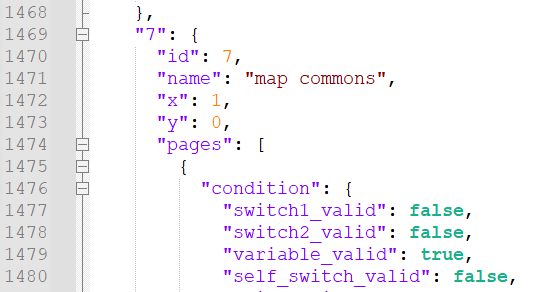 So now we know this command is in an event with the ID
 7, named map commons, located a 1;0.
And sure enough, there it is:
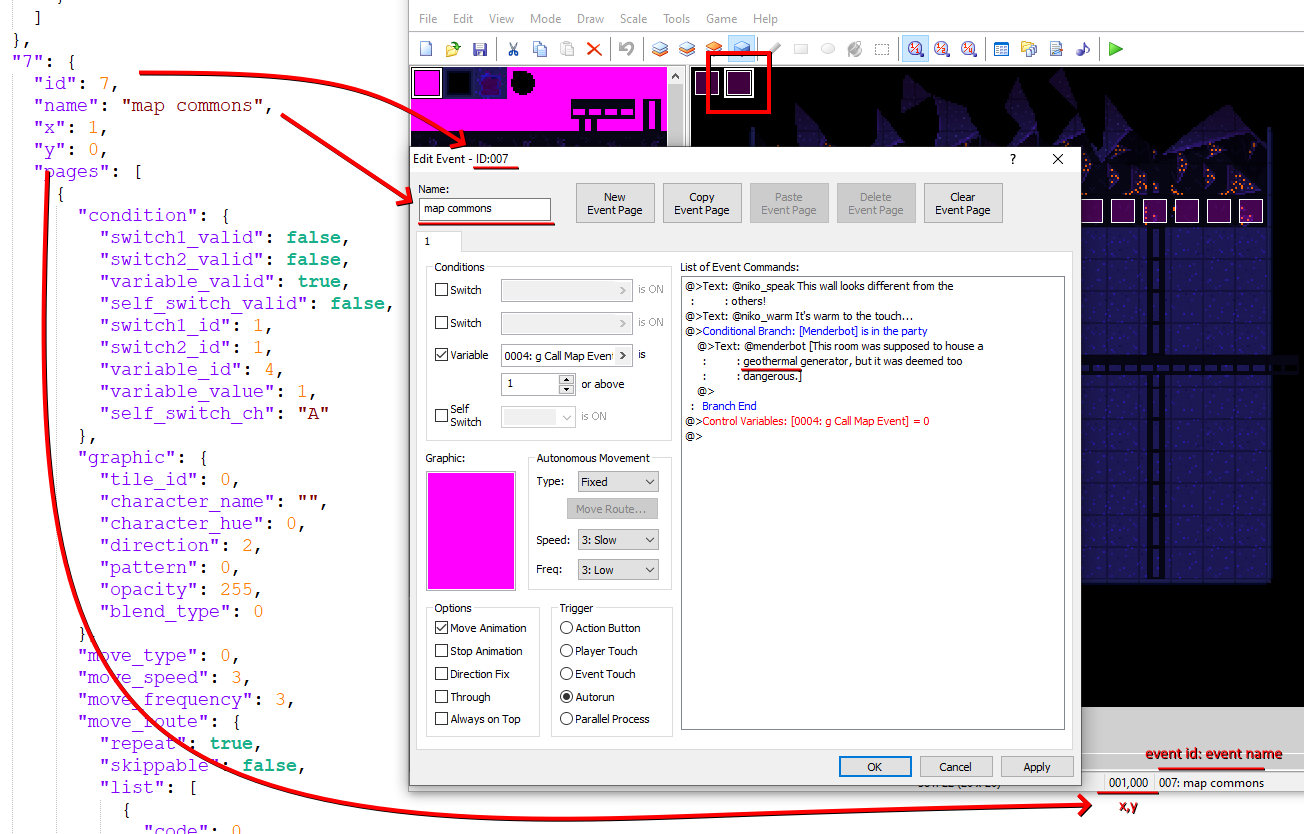
This is but one example on how you can use the data in a JSON format to better navigate your project.
More Annoying Things
This wouldn’t be an RPG Maker project without things getting even more annoying sometimes. For instance, finding where a switch is used requires either a dedicated tool, or using ✨Regular Expressions✨ (aka RegEx).
Since this is a RegEx household, I invite you to indulge in the madness.
In the search dialogue, paste a pattern in the find what field, and configure the search like so:
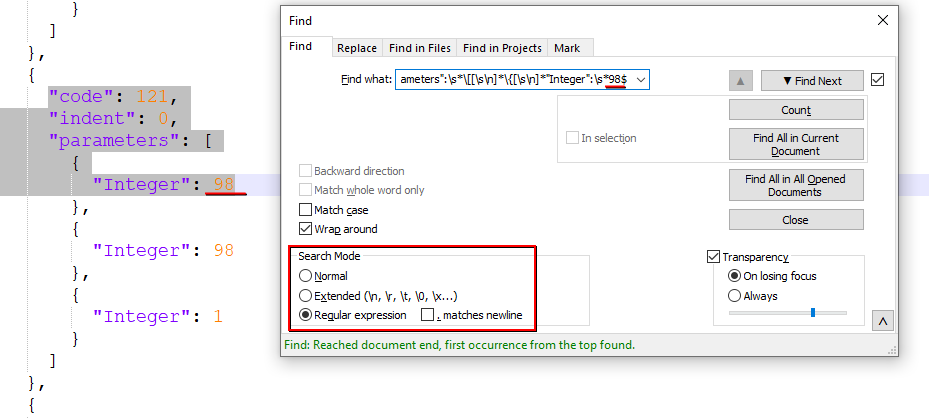
And here are a few RegEx patterns I’ve concocted to find certain things to spare you from some headaches.
Replace the NNNs with the ID of the switch or variable you’re looking for when using the pattern.
Set switch:
"code":\s*121,[\s\n]*"indent":[\s\d,\n]*"parameters":\s*\[[\s\n]*\{[\s\n]*"Integer":\s*NNN$
Switch in conditional branch:
"code":\s*111,[\s\n]*"indent":[\s\d,\n]*"parameters":\s*\[[\s\n]*\{[\s\n]*"Integer":\s*0[\s\n]*\},[\s\n]*\{[\s\n]*"Integer":\s*NNN$
Switch in page condition:
"switch\d_id":\s*NNN,
Set variable:
"code":\s*122,[\s\n]*"indent":[\s\d,\n]*"parameters":\s*\[[\s\n]*\{[\s\n]*"Integer":\sNNN$
Variable in conditional branch:
"code":\s*111,[\s\n]*"indent":[\s\d,\n]*"parameters":\s*\[[\s\n]*\{[\s\n]*"Integer":\s*1[\s\n]*\},[\s\n]*\{[\s\n]*"Integer":\s*NNN$
Variable in page condition:
"variable_id":\s*NNN,